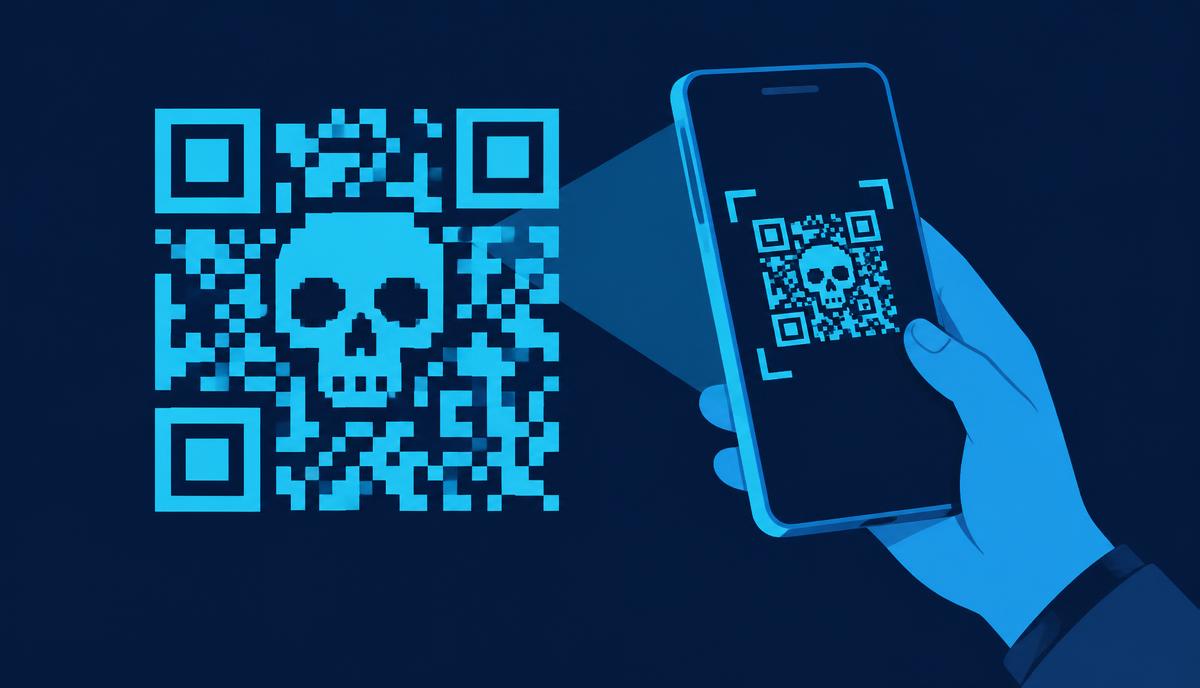
Fake Zoom and Docusign Emails Target Corporate Inboxes
Kaspersky found more than 1,000 phishing emails posing as Docusign and Zoom to steal logins, personal details and card numbers.
Kaspersky has found an ongoing phishing campaign impersonating Docusign and Zoom, the company says.
Two waves
- Docusign: emails sent to corporate accounts in the Middle East, Latin America, Western Europe, Russia, Armenia and Azerbaijan, with links to credential-stealing pages.
- Zoom: a week later, emails warning that users' accounts were about to be disabled. These used fake login pages and embedded forms asking for personal and credit card details.
More than 1,000 phishing emails had been detected as part of this campaign as of September 11, 2026 [[3]](https://www.mininewshub.com/en/kaspersky-identifies-phishing-campaign-impersonating-zoom-docusign). Kaspersky described the second, Zoom-themed wave as having "appeared a little more than a week later" than the first and said it "continues to be active today" as of the company's September 29 press release [[1]](https://www.kaspersky.co.za/about/press-releases/kaspersky-identifies-ongoing-phishing-email-campaign-mimicking-zoom-and-docusign).
Why simple scams still work
Kaspersky notes that even basic phishing succeeds because staff are flooded with email, and attackers pick brands that every office uses daily. A "document waiting for signature" or "account suspended" notice looks routine. Andrey Kovtun, Kaspersky's Email Threats Protection Group Manager, explained the reasoning behind the campaign's design: "In light of the pace of technological development and the widespread adoption of AI, we often tell people how to distinguish sophisticated fraudulent mailings and schemes. However old primitive methods are still being used and sometimes such simplicity can be effective as employees may overlook any phishing signs amid the massive flood of incoming mail, while fraudsters are choosing brands that are widespread in the corporate environment in order to successfully mimic real mailings. Even these low-tech tactics should be caught by dedicated security solutions, so a company's cyber safety doesn't depend solely on the human factor" [[1]](https://www.kaspersky.co.za/about/press-releases/kaspersky-identifies-ongoing-phishing-email-campaign-mimicking-zoom-and-docusign).
How to spot them
- Hover over links: real Docusign links go to docusign.net or docusign.com, real Zoom links to zoom.us.
- Zoom will not ask for your card details to keep a free account active.
- If unsure, open the app or website directly instead of clicking.
Why Docusign and Zoom are so effective as lures
Electronic signature requests often involve contracts, invoices or HR documents, so people feel they have to act quickly. Zoom account warnings play on a different fear: losing access to a tool needed for daily meetings. Both brands send genuine automated emails all the time, which makes fakes blend in.
Security companies have reported Docusign-themed phishing as one of the most common brand impersonations in business email for several years. This pattern mirrors broader fraud trends tracked by regulators: the US Federal Trade Commission found that imposter scams — in which criminals pose as a trusted brand, government agency or individual — were the most commonly reported fraud category in its Consumer Sentinel Network database in 2024, with Americans reporting billions of dollars in losses tied to scams built around impersonating familiar, trusted names.
The geographic spread of this campaign
Kaspersky's reporting shows the Docusign-themed wave specifically targeted corporate accounts across a wide geographic spread — the Middle East, Latin America, Western Europe, Russia, Armenia and Azerbaijan — suggesting the operators behind the campaign are casting a broad net across regions rather than focusing on a single country or industry [[1]](https://www.kaspersky.co.za/about/press-releases/kaspersky-identifies-ongoing-phishing-email-campaign-mimicking-zoom-and-docusign). This breadth is itself a clue to the campaign's nature: rather than a narrowly targeted attack against one organization, it resembles a mass-distribution phishing operation designed to succeed against a small percentage of a very large number of recipients.
How to check a Docusign email
- Genuine Docusign emails include a security code you can enter directly at docusign.com instead of clicking the link.
- Hover over the "Review document" button to see the real address before you click.
- If you were not expecting a document, confirm with the sender using contact details you already have.
How to check a Zoom warning
- Sign in to Zoom by typing zoom.us yourself, or open the app, and check for notifications there.
- Zoom will not ask for credit card details to keep a free account active.
What businesses should do
Report suspicious emails to your IT or security team quickly — one report can help them block the same message for everyone else. Organisations should also enforce multi-factor authentication so a stolen password alone does not give access. Kaspersky's own recommendation echoes this layered approach, pointing to the value of "a dedicated security solution that safeguards corporate emails from spam, email-borne infections, and all forms of phishing," noting that such tools "address both traditional and modern phishing methods, using advanced heuristics that can identify AI-generated phishing attempts" as well as older, simpler lures [[5]](http://www.upgrademag.com/web/2026/09/24/fake-zoom-and-docusign-emails-stealing-credentials-and-card-details-kaspersky-warns/).
What readers should do
- Never enter your Docusign or Zoom login credentials, or payment card details, through a link in an unsolicited email — go to the official site directly instead.
- Check the sender's full email address, not just the display name, since attackers often spoof the name "Docusign" or "Zoom" while using an unrelated sending domain.
- If you receive a Zoom message claiming your account will be disabled, log in through the official app or zoom.us and check your account status there rather than clicking anything in the email.
- Forward suspicious messages to your organization's IT or security team rather than simply deleting them, so colleagues who received the same email can be warned.
- Turn on multi-factor authentication for both your email and any document-signing or video-conferencing accounts, so a stolen password alone is not enough for an attacker to get in.
The bigger pattern: brand impersonation in corporate phishing
Security researchers have long found that attackers gravitate toward a small set of extremely widely used business tools and services precisely because almost every employee at almost every company recognizes and trusts them. Docusign and Zoom fit this pattern well: both send frequent, legitimate automated notifications as part of normal daily use, which means recipients are primed to act on messages that look similar without scrutinizing them closely. That dynamic, rather than any particular technical sophistication in the fake emails themselves, is what Kaspersky's researchers point to as the real reason this kind of "low-tech" campaign can still succeed against well-staffed corporate environments.
Sources & Verification
Additional reporting
- Kasperskykaspersky.co.za
- Gadgets Magazine: Kaspersky flags phishing campaign impersonating Zoom and Docusigngadgetsmagazine.com.ph
- MiniNewsHub: Kaspersky Identifies Phishing Campaign Impersonating Zoom and DocuSignmininewshub.com
- TechCoffeeHouse: Kaspersky Flags Phishing Wave Mimicking Zoom, DocuSigntechcoffeehouse.com
- Upgrade Magazine: Fake Zoom and DocuSign emails stealing credentials and card details, Kaspersky warnsupgrademag.com